
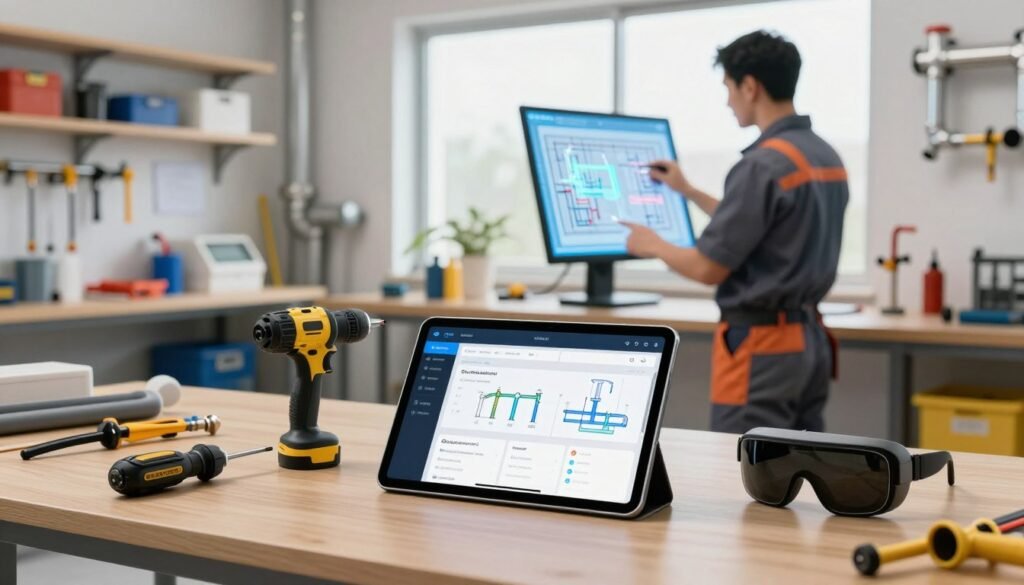
I’ve reviewed the latest platforms) and I’ll show how modern systems speed up plumbing work in 2026.
I explain how ServiceTitan’s AI platform and similar systems help teams boost efficiency across accounting, estimating, scheduling, and dispatch. These advances let technicians get the right job details instantly and cut time spent on admin.
Machine learning now helps small and mid-size trade businesses access aggregated trends and analytics that were out of reach before. That means better inventory management, smarter customer communication, and faster decision making on the job.
My list of 10 must-have apps highlights systems that automate repetitive workflows, improve technician performance, and drive higher revenue for your business. Use this guide to build a layered tech stack that fits your office, field staff, and service teams.
Key Takeaways
- ServiceTitan and similar platforms boost efficiency across core operations.
- Machine learning provides actionable data and industry analytics.
- Automation reduces admin time and speeds up job completion.
- Modern systems improve scheduling, dispatching, and technician performance.
- These apps help small and mid-size businesses drive revenue and better customer service.
The Evolution of Plumbing Operations
Since 2012 I’ve watched plumbing operations move from paper logs and phone tags to connected platforms that run entire businesses. ServiceTitan’s founding marked the start of a broader digital shift. Today, modern plumbing teams rely on centralized software to coordinate schedules, dispatch crews, and close out invoices.
The transition gave contractors clearer visibility across the job lifecycle. Real-time data keeps technicians and office staff synchronized in the field. That change reduced wasted trips, cut billing delays, and made customer communication faster.
End-to-end workflow automation replaced piecemeal task lists. Simple task management evolved into unified field service management that tracks calls, parts, and payments in one place.
For any plumbing business aiming to scale, these advancements are now essential. I’ve seen the most successful companies adopt integrated software and practical tools that standardize processes and reduce operational friction.
- From manual sheets to digital platforms since 2012.
- Unified scheduling, dispatch, and financial reporting.
- Real-time visibility drives faster, more reliable service.
Why AI Tools for Plumbers Are Essential in 2026
Smart scheduling and real-time call routing now decide whether a lead becomes a paying job or a lost chance.
Industry data shows small plumbing businesses miss roughly 60 percent of inbound calls. That gap creates a steady revenue leak. I’ve seen companies close that gap by using systems that qualify and route every call correctly.
Automated workflows reduce repetitive data entry. Office staff spend less time on paperwork and more time on high-value service tasks. That shift improves booking conversion and shortens response time.
The Impact on Revenue
When every call is tracked, booking rates rise. Real-time analytics show which marketing channels generate booked jobs. That insight helps businesses allocate spend to the channels that actually move the needle.
Reducing Operational Friction
Dispatching and scheduling that work together stop high-intent jobs from slipping through during peak demand. Technicians get accurate job notes and parts lists before they arrive. The result is less wasted time and higher technician performance.
| Problem | What I’ve Seen | Business Impact |
|---|---|---|
| Missed inbound calls (60%) | Calls qualified and routed 24/7 | Higher booked jobs; increased revenue |
| Overloaded office staff | Automated booking and follow-ups | Lower admin cost; better customer service |
| Poor dispatch visibility | Real-time scheduling and dispatching | Faster response; improved technician productivity |
- Capture missed leads: stop revenue leakage from unhandled calls.
- Scale without extra headcount: let staff manage higher call volumes.
- Improve field performance: give techs the information they need, when they need it.
Distinguishing Between General AI and Trade-Specific Solutions
Not all intelligent platforms handle trade work the same way; some read data, while others act on it inside your systems.
I’ve seen general-purpose assistants draft emails and summarize notes well. They rarely access customer history or technician certifications stored in your field service software.
Trade-specific platforms connect directly to scheduling and dispatch. That means they can update a job, apply pricing rules, or push a part to a technician’s checklist.
Security and privacy also differ. Platforms built for the trades design their controls around contractor needs. That reduces risk when customer data and job records move between office and field.
- I recommend systems that eliminate manual data entry and keep the office from switching between screens.
- Choose platforms that deliver operational insights and direct actions inside your core software.
| Capability | General-purpose | Trade-specific | Business Impact |
|---|---|---|---|
| Access to customer & job history | No native access | Full integration | Faster, accurate service notes |
| Operational actions (scheduling/dispatch) | Manual updates required | Can update jobs directly | Less office time; improved dispatching |
| Industry calibration & analytics | Generic models | Trained on trade data | Better pricing, parts forecasting, revenue insights |
Automating Administrative Workflows in the Office
Automated back-office systems shorten turnaround on invoices, emails, and job notes.
Invoice summaries generated in seconds cut manual billing time dramatically. I’ve seen Titan Intelligence produce invoice descriptions that save office staff between 1.5 and 3 hours daily. That time is redeployed to supporting technicians and closing more jobs.
Invoice Summary Generation
Quick invoice summaries keep descriptions consistent and accurate. This reduces disputes and speeds payment cycles.
- Faster billing means faster revenue recognition.
- Consistent line items reduce review time by leadership.
- Summaries integrate with existing software to avoid duplicate entry.
Email Automation
Automated email generation lets your office send personalized messages with a few clicks. The team can maintain a professional tone for every customer without drafting each message manually.
Document Summarization
Document summarization extracts key notes from job files and manuals. Office staff can review job history and parts guidance quickly, which tightens scheduling and dispatch accuracy.
| Workflow | Typical Time Saved | Business Impact |
|---|---|---|
| Invoice summaries | 1.5–3 hours/day | Faster billing; fewer errors; better cash flow |
| Email generation | 30–60 minutes/day | Consistent customer messaging; higher booking rates |
| Document summarization | 30–90 minutes/day | Quicker job prep; improved technician performance |
I believe plumbing companies that automate these office workflows reduce administrative overhead and scale operations with the same headcount. Seamless integration with your software keeps data flowing to the field and protects service quality.
Enhancing Field Performance with Digital Assistants
Digital sidekicks give technicians instant access to manuals, service history, and step-by-step troubleshooting while they work.
I’ve seen systems like Atlas let techs pull diagnostic tests and job details with voice or text. That reduces calls back to the office and keeps crews moving.
Real-time access to parts lists and repair sequences raises first-time fix rates. When a tech gets the right data on site, customers see faster outcomes and fewer return visits.
Automated job summaries and notes cut admin time on every job. Techs spend less time typing and more time doing the work that generates revenue.
- I’ve watched assistant features lower office support needs while improving dispatch accuracy.
- Giving technicians instant manuals and service history makes them ready for any plumbing job.
- Voice queries speed diagnostics so techs finish more jobs per day.
| Field Challenge | Assistant Capability | Business Benefit |
|---|---|---|
| Missing equipment history | Instant service records and manuals | Higher first-time fix rate |
| Frequent office callbacks | Voice/text diagnostic queries | Less office load; faster dispatch |
| Time lost to notes | Automated job summaries | More productive technicians; more revenue |
Recommendation: equip your teams with a mobile assistant that ties into your field service management system. The payoff is cleaner workflows, better performance, and happier customers.
Improving Customer Communication and Intake

Immediate responses to after-hours calls convert frantic inquiries into profitable appointments. More than 40% of home service calls happen outside normal hours, so 24/7 coverage is a real growth lever.
I recommend that plumbing companies set up always-on intake that captures job details and confirms appointments. That approach protects revenue and keeps customers calm during stressful moments.
Handling After-Hours Emergencies
When customers call at night, an instant answer can win the lead. An intake assistant can log location, urgency, and required parts. It can also book a slot or pass a high-priority lead to dispatch.
- I’ve found that capturing after-hours emergency calls is a major opportunity since 40 percent of calls occur outside business hours.
- By automating intake, your office staff avoid burnout and focus on complex customer situations.
- Consistent updates and automatic confirmations cut no-shows and improve trust.
- Quick, accurate intake helps technicians arrive prepared and increases first-time fix rates.
Bottom line: plumbing companies that provide instant, professional responses win more emergency jobs and strengthen long-term customer relationships.
Leveraging Data for Smarter Dispatching
When data drives assignments, dispatchers stop guessing and start balancing profitability with response time.
Dispatch Pro uses operational data to rank job value and weigh recent technician performance.
This approach doubled dispatcher capacity in many plumbing companies I tracked. That means the same staff can handle twice the jobs without burning out.
By matching the best-fit technician to each job, the system raises the odds of winning and increases profit on every service call.
Real-time insights let dispatchers spot scheduling blockages and rebalance the board during peak demand or bad weather.
- I’ve seen Dispatch Pro free dispatchers to handle emergencies and coach techs, instead of manually assigning every call.
- Automated assignment preserves office time and improves technician utilization across the field.
- Using data-driven scheduling helps companies protect revenue and improve first-time fix rates.
Recommendation: deploy a dispatching system that combines job value predictions with technician performance data. It transforms scheduling from reactive firefighting into a streamlined, revenue-focused workflow.
Optimizing Marketing Spend and Lead Generation

When ad budgets map to job value, plumbing companies stop buying clicks and start buying profitable work.
Ads Optimizer trains Google Ads on real revenue and actual job outcomes rather than raw calls or form fills. That shift reduces cost per lead and raises the quality of leads your team receives.
Ad Spend Optimization
I recommend training ad campaigns with job-level data so your marketing prioritizes profitable services. By feeding revenue metrics into campaigns, your company avoids paying for jobs you cannot fulfill.
- Lower cost per lead while improving lead quality.
- Adjust spend by capacity so schedules and dispatching stay balanced.
- Integrate with your CRM and software for seamless campaign feedback.
Second Chance Lead Recovery
Second Chance Lead Recovery scans unbooked calls and flags those with high recapture potential. Current data shows plumbing companies recapture about 37% of unconverted calls using this approach.
This automation lets your office staff focus on closing viable leads instead of chasing every inquiry. The net effect is faster revenue growth and more predictable job flow.
Bottom line: combine revenue-driven ad campaigns with automated lead recovery to lower marketing waste and grow your business more efficiently.
Managing Invoices and Payments with Automation
Automating billing closes the gap between a finished job and money in the bank.
Automated invoicing generates professional bills from completed work orders with a few clicks. It auto-populates line items, labor hours, and material costs from a technician’s field notes. That reduces manual entry and billing errors.
Integrated payment processing lets your office staff or technicians collect payments on the spot. Instant payments improve cash flow and cut receivables days.
- I have seen automation shrink the time between job completion and being paid.
- Real-time visibility into accounts receivable helps you chase slow-paying accounts sooner.
- These systems sync with existing software so your team adopts them quickly.
| Capability | Benefit | Business Impact |
|---|---|---|
| Auto-populated invoices | Fewer errors; consistent line items | Faster billing; fewer disputes |
| Integrated payments | Collect on-site or online | Improved cash flow; lower DSO |
| AR dashboards | Real-time aging and alerts | Quicker follow-up; higher recovery |
Recommendation: implement automated invoicing and payment systems so your plumbing companies reduce admin, protect revenue, and keep technicians focused on quality service.
Streamlining Fleet and Time Tracking
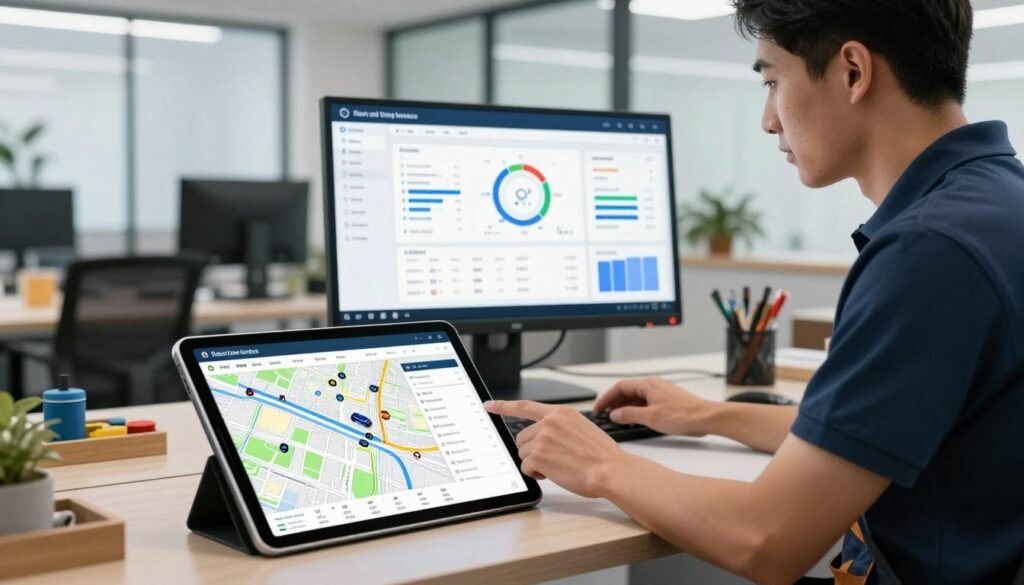
Real-time vehicle location and automated time capture stop guesswork in payroll and route planning. I rely on Fleet Pro’s Automated GPS Timesheets Integration to update technician timesheets live.
GPS-enabled timesheet accuracy protects your plumbing companies from wage-theft claims and limits excess wages. Time tracking captures clock-in and clock-out at each job site so payroll is precise.
GPS-Enabled Timesheet Accuracy
GPS tracking shows vehicle locations, fuel use, and maintenance needs. That visibility cuts fleet operating costs and avoids breakdowns that interrupt service.
- I’ve found GPS timesheets ensure accurate payroll and stronger technician accountability.
- Routing the nearest truck to an emergency call improves response time and reduces drive time.
- These systems integrate with existing software so the office can process payroll and scheduling without extra work.
| Feature | Benefit | Business Impact |
|---|---|---|
| Real-time GPS | Accurate location & routing | Faster response; fewer missed appointments |
| Automated timesheets | Clock-in/out per job | Accurate payroll; lower disputes |
| Fleet analytics | Fuel & maintenance alerts | Lower operating costs; better utilization |
Evaluating Software for Your Specific Business Needs
A solid evaluation begins with realistic scenarios: can the system handle peak season volume and mixed residential and commercial jobs?
Cost per user, ease of adoption, and the platform’s fit with your plumbing business should lead your checklist. Factor in whether the vendor supports data migration and offers hands-on setup coaching.
Check recent reviews from other contractors. Look for credible feedback about uptime, training, and real-world performance before you commit.
Ensure the software integrates into your dispatching and invoicing workflows rather than sitting in a silo. That preserves office time and keeps technicians productive on the job.
- Confirm the platform scales as you add or remove technician seats.
- Ask if analytics and performance insights are built in or require extra modules.
- Demand hands-on support during the first 30–90 days to avoid downtime.
| Factor | Question | Impact |
|---|---|---|
| Cost & contracts | What is the true cost per user? | Controls long-term spend |
| Support & migration | Who helps move data and train staff? | Smoother transition; less lost time |
| Scalability & integration | Can it handle more jobs and systems? | Protects revenue as your business grows |
Final tip: pilot the system with a small team, measure impacts on scheduling, dispatch, and revenue, then expand once results are clear.
Building a Layered Technology Stack
When each system has a single responsibility, data moves cleanly and staff spend less time reconciling records. A layered approach maps distinct functions—marketing, scheduling, dispatching, and field service management—into clear tiers that match the customer journey.
Start with marketing and intake to capture high-quality leads and pass them to your office with complete job details. Next, use a dedicated scheduling layer to turn leads into confirmed appointments and reduce double-books.
Dispatching sits between scheduling and the field. It assigns the right technician, balances workload, and preserves notes so techs arrive prepared. The field layer then manages work execution, parts, and final invoices.
Integration is the critical piece: sync customer records, scheduling data, and job notes so the office and techs share one source of truth. That flow protects revenue, cuts duplicate entry, and speeds first-time fixes.
- I’ve found companies scale faster when each layer is specialized and connected.
- Choose systems that exchange data reliably and reduce manual handoffs.
- Keep the stack modular so you can swap components as your business evolves.
Overcoming Common Implementation Challenges
Most implementation problems are people problems, not technical ones.
I see three repeat issues: resistance to change, a steep learning curve, and messy data migration. Each can stall scheduling, dispatch, and field management if you don’t plan.
Hands-on training and clear communication are essential. I recommend live sessions that mirror real job scenarios so office staff and technicians practice common workflows.
Involve your teams when picking a system. When techs and office staff help choose, adoption rises and notes, scheduling, and dispatching stay accurate.
Set realistic expectations for the transition. Expect slower throughput for a short window while everyone learns. Ongoing coaching speeds recovery and protects revenue.
| Challenge | Action | Benefit |
|---|---|---|
| Resistance from staff | Inclusive selection + role-based training | Higher adoption; fewer help calls |
| Data migration issues | Staged import and verification | Accurate job records; smooth dispatching |
| Skill gaps in field | On-the-job coaching and cheat sheets | Faster first-time fixes; less rework |
Conclusion
When intake, dispatch, and field management share a single source of truth, your team performs better and customers notice.
I recommend that companies prioritize systems that reduce repetitive admin and improve scheduling. This change helps finish more jobs each day and lowers the chance of missed calls.
Automating office workflows and boosting on-site clarity raises first-time fix rates. Better customer communication means fewer callbacks and stronger reviews.
Start building a layered technology stack today. With the right approach, your plumbing business can scale, win more jobs, and handle high-value calls without adding headcount.